Watch Sync App - BT Notifier
- 4.1
- Rating
- 10.00M
- Installs
- Free
- Price
 Analysis by App-foxy
Watch Sync App - BT Notifier is the kind of communication tool that solves a small but surprisingly persistent problem: keeping phone alerts visible on a smartwatch. I found it most useful when I wanted to glance at incoming notifications without repeatedly reaching for my phone. It is not a replacement for a complete smartwatch platform, and it does not try to be one. Its value is narrower and more practical: it acts as a bridge between a phone and a Wear OS watch through Bluetooth.
My overall impression is positive, with one important qualification. This is best understood as a notification companion, not an all-purpose watch manager. If your main frustration is missing messages, reminders, or other phone alerts while your handset is in a pocket or bag, the app is easy to understand. If you expect deep watch customization, advanced health tools, or a full messaging environment, you will probably be happier with the official software made for your particular watch.
What the app does well in everyday use
The setup concept is straightforward. The app, developed by AceTools Team, connects the phone side of the experience with a compatible Wear OS smartwatch so that notifications can appear on your wrist. That simple purpose gives it a clear advantage over apps that try to combine too many unrelated functions. I could approach it with one question: can my watch help me notice phone activity sooner? That focus makes the app easier to evaluate and easier to recommend to the right person.
You May Also Like

 Blood Strike: 2.5 Anniversary
Blood Strike’s Loadouts Turn Every Drop Into a Tactical Gamble
A close look at Blood Strike’s custom loadouts: how fast access to signature weapons reshapes its battle royale rhythm, rewards preparation, and narrows the gap between fights.

 Pandora - Music & Podcasts
Pandora’s Music Is Easy to Start, but Harder to Recover
Pandora’s strength is its low-effort path from a seed to a station. Its weak spot is how much confidence it asks you to place in connection, setup, and quiet recovery.

 8 Ball Pool
 Is Built on Rivalries, Rematches, and Routine
A close look at the rivalries, rematches, shared routines, and unanswered safety questions that turn a quick pool match into a persistent mobile community.

 Samsung Music
’s Quiet Strength Is Playing What You Already Own
Its reach comes less from spectacle than from dependable access to a personal library. That simplicity is both the app’s strongest retention engine and its ceiling.

 AccuWeather: Weather Radar
AccuWeather Review: A Quick, Clear Forecast for Everyday Decisions
For everyday plans, the best forecast is the one you can understand quickly. AccuWeather makes rain timing, radar, and local conditions easy to act on, with a few trade-offs.

 Hill Climb Racing
Why Hill Climb Racing Still Turns Crashes Into One More Run
A tiny car, a bumpy hill and one more upgrade: Hill Climb Racing keeps resurfacing because its simple chaos makes every near-miss feel personal.
More From Our News Desk



In daily life, the benefit is less about dramatic convenience and more about reducing interruptions. Imagine working at a desk with your phone charging across the room. A notification arrives, and instead of stopping what you are doing to check the handset, you can look at your watch first. The same applies while cooking, carrying shopping bags, walking, or commuting. For short alerts, that glance may be enough to decide whether the phone needs immediate attention.
I also like the way this approach supports a calmer notification routine. A watch can become distracting if every alert demands a full response, but it can be useful as a filter. You see that something happened, identify whether it matters, and leave the phone alone when it does not. That workflow is particularly helpful for people who want to stay reachable without keeping a phone screen constantly in view.
The app is listed as free, which makes experimenting with it relatively low-risk. It also carries an Everyone age rating, so its presentation is accessible to a broad audience. Optional in-app purchases are listed from $9.99 to $49.99 per item, so I would still check the available purchase choices carefully before paying for anything. The basic idea is easy to test first, and that is the sensible way to approach it.
A focused bridge rather than a crowded dashboard
Many smartwatch users already have an official companion application, but those apps often cover watch faces, device settings, health information, account management, updates, and other areas. That breadth can be useful, yet it can also make a simple notification problem feel buried inside a larger system. Watch Sync App - BT Notifier presents a more direct route for someone whose immediate goal is phone-to-watch alerts.
That distinction matters when choosing between alternatives. The official watch companion is generally the better choice for configuring the entire device and using manufacturer-specific tools. A general notification bridge is more appealing when the user wants to focus on alert delivery and does not need another large dashboard. I would not automatically install both without a reason, because overlapping notification tools can make troubleshooting harder and may create uncertainty about which app is responsible for a connection or alert.
The app has attracted a sizable audience, with more than ten million installs and an average rating of 4.2 from roughly forty-two thousand ratings. Those figures suggest that the basic use case is understandable to many people, though they should not be treated as a guarantee that every phone and watch combination will behave identically. Bluetooth connections, phone settings, watch software, and notification rules can all affect the experience.
One practical tip is to test the app with the alerts that matter most instead of judging it only by whether the watch connects. Send yourself a message, trigger a calendar reminder, and wait for an alert from an app you use regularly. A connection indicator by itself does not tell you whether the notifications you care about are actually reaching the wrist in a useful form. Testing real alerts exposes problems much sooner.
The small details that decide whether it feels reliable
Notification syncing is not just a matter of pairing two devices once. The phone may limit background activity, Bluetooth may reconnect slowly after distance separates the devices, and the watch may handle different alert types in different ways. I would therefore treat the first setup as a short tuning process rather than a one-tap finish. Keep the phone and watch nearby, confirm the connection, and then test again after briefly moving away and returning.
A second useful habit is to keep the notification load under control. If every shopping promotion, social update, and game reminder is sent to the wrist, the watch quickly becomes another source of noise. The strongest use of this app is selective: prioritize personal messages, calls, appointment reminders, delivery updates, or work alerts, and leave low-value notifications on the phone. The result is a watch that feels informative instead of constantly demanding attention.
There is also a trade-off between immediacy and battery expectations. A watch that is frequently receiving and displaying phone alerts is doing more communication work than one used only for the time. I would not blame the app for every change in battery life, because the watch, Bluetooth state, screen behavior, and other installed services all contribute. Still, users who want maximum endurance should be thoughtful about which alerts they allow through.
Another point worth checking is whether the watch already receives notifications correctly through its official connection. If it does, adding a separate bridge may not improve anything. In that situation, the extra app could simply add another layer to maintain. I see Watch Sync App - BT Notifier as most valuable when the existing arrangement is incomplete, inconvenient, or unavailable for the user’s particular setup.
Where the experience can become frustrating
The main weakness is that notification delivery depends on a chain of devices and settings rather than on the app alone. If an alert does not appear, the cause may be the Bluetooth link, the phone’s background restrictions, the notification behavior of the original app, the watch’s connection state, or another companion service. That makes failures harder to diagnose than the simple store summary might suggest.
For a technically confident user, this is manageable. You can check whether the phone itself shows the alert, confirm that the watch is connected, review notification access, and test again. For someone who expects the app to install itself and work invisibly forever, the experience may feel less polished. The app’s purpose is simple, but the communication path behind it is not always simple.
I would also be cautious about treating it as a universal solution for every smartwatch. Its stated focus is Wear OS, so the relevant question is not merely whether a watch has Bluetooth. The watch’s operating system and its compatibility with the phone-side setup matter. Before relying on it for important alerts, confirm that your watch belongs to the intended Wear OS environment and run a real-world test rather than assuming that Bluetooth alone is enough.
There is a similar limitation with the content of alerts. Seeing a notification on a watch is not the same as having a complete version of the original phone app on the wrist. Some alerts may be useful as previews, while others may offer limited interaction or require the phone for a full response. If your goal is to compose long replies, manage conversations in depth, or perform complex actions from the watch, a dedicated official integration will usually be a better fit.
The purchase structure deserves a measured approach as well. Since the app is free to start but includes optional items priced from $9.99 to $49.99, I would use the no-cost experience long enough to confirm that it solves the actual connection problem. Paying before testing your phone, watch, and notification habits together would be premature. A paid option can be worthwhile if it adds something you genuinely need, but the central question is whether the bridge works consistently in your environment.
Who should use it, and who should skip it
I would recommend this app to someone who owns a Wear OS smartwatch and mainly wants phone notifications to reach the wrist in a direct, uncomplicated way. It is especially suitable for people who miss alerts because the phone is out of sight, and for users who want a quick glance before deciding whether to interrupt what they are doing. It can also suit someone who prefers a focused utility over a large manufacturer dashboard.
It is a good match for a practical notification workflow: allow important alerts, silence the rest, and use the watch as an early warning rather than a second phone. Parents, commuters, office workers, and anyone who regularly keeps a handset in a bag may appreciate that arrangement. The benefit is strongest when the user has a clear idea of which notifications deserve wrist-level attention.
I would skip it if your watch already handles phone notifications reliably through its official companion app. In that case, there may be no meaningful problem for this app to solve. I would also look elsewhere if your priority is watch health tracking, payments, music management, detailed device customization, or a fully integrated reply system. Those needs belong more naturally to the platform’s official tools or to specialized apps designed for those tasks.
Users who dislike troubleshooting should think carefully before installing it. The app is not necessarily difficult, but connection-based utilities can require patience when an alert fails to appear. If a missed notification could have serious consequences, I would not depend on this app alone without testing it repeatedly and keeping another reliable channel available. Convenience is valuable, but it should not be confused with guaranteed delivery.
My practical setup advice
I would begin with a clean test rather than changing several phone and watch settings at once. Install the app, keep the devices close, establish the Bluetooth connection, and trigger a few ordinary notifications. Once the basic path works, add the alerts you genuinely care about one group at a time. This makes it easier to identify which change helped or caused a problem.
Next, test the situations in which you actually plan to use the app. Walk into another room, leave the phone in a bag, let the watch sit idle for a while, and check whether an incoming message still reaches the wrist. A setup that works only while both devices are on the same table is not enough for everyday confidence. These simple tests reveal whether the app fits your routine before you start depending on it.
If notifications stop arriving, I would check the basics in a fixed order: phone notification visibility, Bluetooth status, watch connection, background behavior, and any other app that may also be managing the watch. Restarting both devices can sometimes clarify whether the issue is temporary, but repeated failures should prompt a comparison with the official companion software. The goal is to isolate the weak link instead of repeatedly reinstalling everything.
Finally, review the notification list after a day or two. The first setup often allows too much through because users want to confirm that the system works. Once confidence grows, remove low-value alerts. That single adjustment can make the app feel considerably better, because the watch becomes a deliberate filter rather than a mirror of every phone interruption.
My final verdict
Watch Sync App - BT Notifier earns its place as a focused communication utility. I appreciate that its purpose is easy to understand and that it addresses a real everyday annoyance: needing to check the phone simply to discover whether an alert matters. When the phone and Wear OS watch cooperate properly, the result is convenient, unobtrusive, and easy to fit into a normal routine.
At the same time, I would not present it as a universal smartwatch solution. Its success depends on compatibility, Bluetooth stability, phone behavior, and sensible notification choices. The app is most convincing when used selectively and tested with the alerts that matter. It is less compelling for people whose official watch software already does the job or who expect advanced watch features beyond notification syncing.
My recommendation is therefore specific: try it if your Wear OS watch is not giving you the notification experience you want, start with the free option, and judge it using real alerts in real locations. If that focused bridge solves your problem, it can be a useful addition. If your needs extend beyond phone alerts, keep the official companion app as your main tool and treat this one as unnecessary extra complexity.
FAQs for Watch Sync App - BT Notifier
01What is the primary function of the Watch Sync App - BT Notifier?
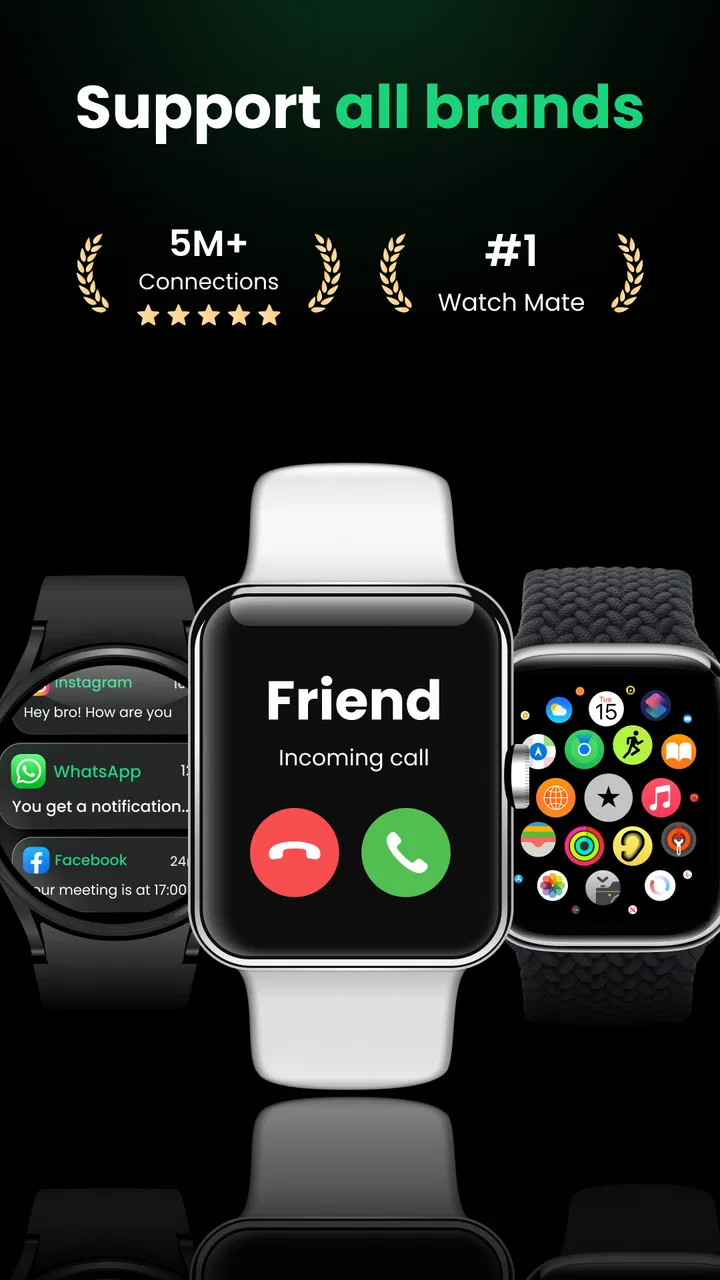
The Watch Sync App - BT Notifier is designed to connect your smartwatch to your smartphone via Bluetooth. This app enables notifications from your phone to appear directly on your watch, ensuring you stay updated without checking your phone constantly. It's compatible with a variety of smartwatch brands, enhancing your wearable tech experience.
02Is the Watch Sync App - BT Notifier compatible with all smartwatches?
While the Watch Sync App - BT Notifier supports many popular smartwatch brands, it’s essential to check specific compatibility with your device. Some watches may require additional settings or firmware updates to function correctly with the app. Always verify compatibility on the app’s description page before downloading.
03Does the app drain the smartphone's battery significantly?
The Watch Sync App - BT Notifier is designed to be efficient, but continuous Bluetooth connection can impact battery life. The app includes settings to optimize usage and minimize battery drain. Adjusting notification settings and disconnecting when not in use can help preserve battery life on both your smartphone and smartwatch.
04Is the Watch Sync App - BT Notifier easy to set up for first-time users?
Yes, the Watch Sync App - BT Notifier offers a user-friendly setup process. It includes a step-by-step guide to help pair your devices smoothly. However, first-time users should ensure Bluetooth is enabled on both devices and follow the on-screen instructions carefully to avoid any setup issues.
05What kind of notifications can be received on the smartwatch using this app?
With the Watch Sync App - BT Notifier, you can receive a wide range of notifications including calls, texts, emails, and app alerts. Users can customize which notifications they wish to receive on their smartwatch through the app settings, providing a tailored notification experience to suit individual preferences.
Pros
- Seamless Bluetooth connectivity
- User-friendly interface
- Quick notification syncing
- Customizable alert settings
- Supports multiple devices
Cons
- Occasional sync delays
- Limited customization options
- Consumes battery quickly
- Requires frequent updates
- Compatibility issues on older devices

Watch Sync App - BT Notifier
Gallery